 Limpid Fox Consulting
HP-97 Emulator - Desktop Version
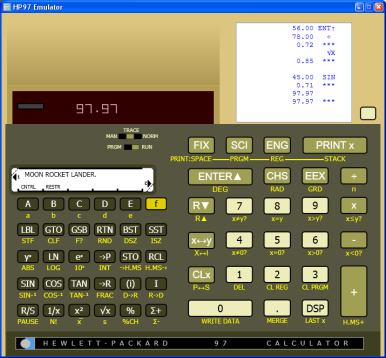
Fully functional emulation of the HP-97 calculator. This calculator can serve as your fulltime, everyday, computer desktop calculator. Its advanced functions are as useful today as they were 30 years ago when this calculator was first introduced by Hewlett-Packard.
|
Get RPN-97 Calculator Emulator from the Microsoft Store.
|
|---|

Upgrading from the old desktop version
If you used the earlier downloadable HP-97 Emulator, your saved programs are in the HP Programs folder located in the same folder as the old HP97Emulator program (.exe). To use them in the new app:
- Install HP97 from the Microsoft Store.
- Open the old HP Programs folder under C:\Program Files (x86)\Coderivet\HP[97/67] Emulator and copy all of the *.hp97 files.
- Paste them into the new app's programs folder in your OneDrive Documents, for example:
C:\Users\[user]\OneDrive\Documents\HP97 Emulator\HP Programs
System Requirements - Windows 10 version 17763.0 or higher